
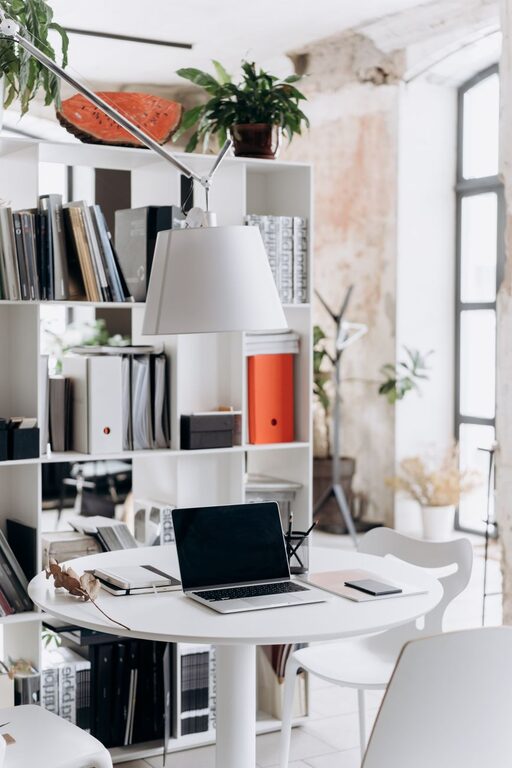
Creating a workspace at home that is both cozy and functional is essential in today’s world, where many people work remotely or spend significant time on projects and hobbies at home. A well-designed workspace can boost your productivity, reduce stress, and make your workday more enjoyable. In this post, we’ll explore practical tips for creating a home workspace that balances comfort and efficiency.
Choose the Right Location
Find a Quiet Spot
Selecting a quiet area in your home can minimize distractions. If possible, choose a separate room or a corner away from noisy appliances and high-traffic areas. This helps you stay focused and maintain a work mindset.
Consider Natural Light
Natural light improves mood and reduces eye strain. Position your desk near a window, if possible, to take advantage of daylight. If natural light is limited, invest in good-quality lighting that mimics natural light to keep the space bright and inviting.
Select an Ergonomic Desk and Chair
Prioritize Comfort
Comfort plays a key role in your ability to work efficiently. Choose an adjustable chair with lumbar support to protect your back. A desk at the right height will prevent hunching and reduce strain on your neck and shoulders.
Optimize Your Setup
Keep essential items within arm’s reach to avoid unnecessary stretching or moving. Position your monitor at eye level and about an arm’s length away to reduce eye and neck strain.
Incorporate Personal Touches
Decorate Mindfully
Adding personal touches, such as photos, plants, or artwork, can make your workspace feel welcoming and reflect your personality. Choose items that inspire and calm you without cluttering the area.
Use Color Strategically
Color influences mood and productivity. Soft blues and greens are calming, while brighter colors like yellow can stimulate creativity. Pick colors that suit your work style and help you feel motivated.
Organize for Efficiency
Declutter Regularly
A clutter-free workspace promotes clarity and focus. Keep only the items you use daily on your desk and store the rest in drawers or shelves. Regularly tidying your space can help maintain order.
Use Storage Solutions
Invest in storage organizers like file holders, drawer organizers, and shelves. Label containers to quickly find what you need and keep your workspace neat.
Manage Cables and Technology
Tame the Cords
Messy cables can be distracting and unsightly. Use cable clips, sleeves, or boxes to organize and hide wires. This keeps your desk tidy and reduces the risk of accidents.
Choose Reliable Equipment
Ensure your computer, printer, and other technology work well together and meet your needs. Having dependable tools minimizes interruptions and frustration during work.
Enhance Comfort with Accessories
Add Soft Elements
A cozy workspace can include a soft throw blanket, a comfortable cushion, or a footrest. These small touches improve comfort and make long work sessions easier.
Control Temperature and Air Quality
Keep the room well-ventilated and at a comfortable temperature. A desk fan or small heater can help regulate your environment. If possible, include an air purifier or some houseplants to improve air quality.
Establish Boundaries and Routine
Separate Work and Home Life
If your workspace is in a shared area, use physical boundaries like room dividers or curtains to create a sense of separation. This helps signal when you are working and when you are off duty.
Create a Work Routine
Design a daily routine to start and end your workday. This helps you maintain balance, stay organized, and avoid burnout.
Conclusion
Designing a cozy and functional home workspace doesn’t have to be complicated or costly. By thoughtfully selecting your location, focusing on comfort and organization, and adding personal touches, you can create an environment that supports your productivity and well-being. The key is to customize your space to fit your unique needs and preferences, making working from home a more enjoyable experience.